
anuboXBRL Reader — Free add-in for Microsoft Excel

Insert labels and values from iXBRL/XBRL filings into Excel in seconds.

What you can do

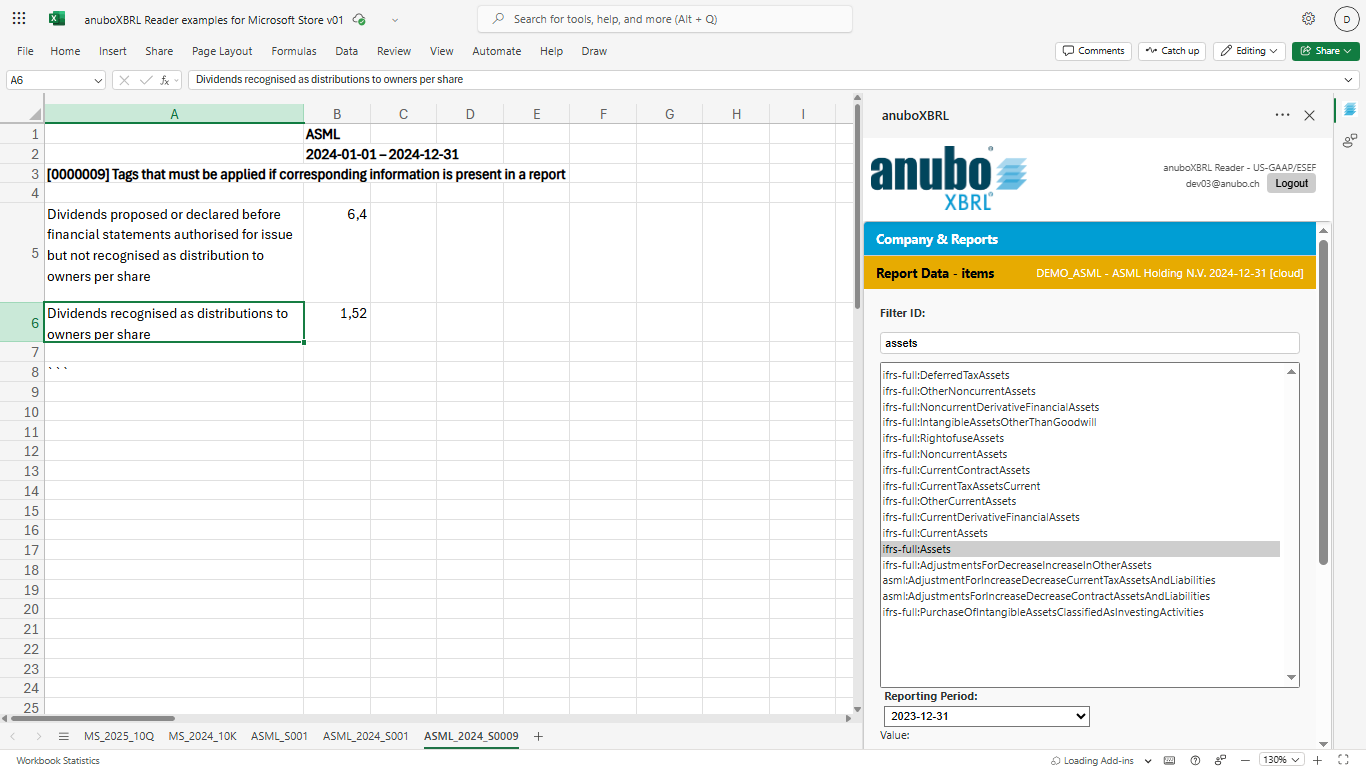
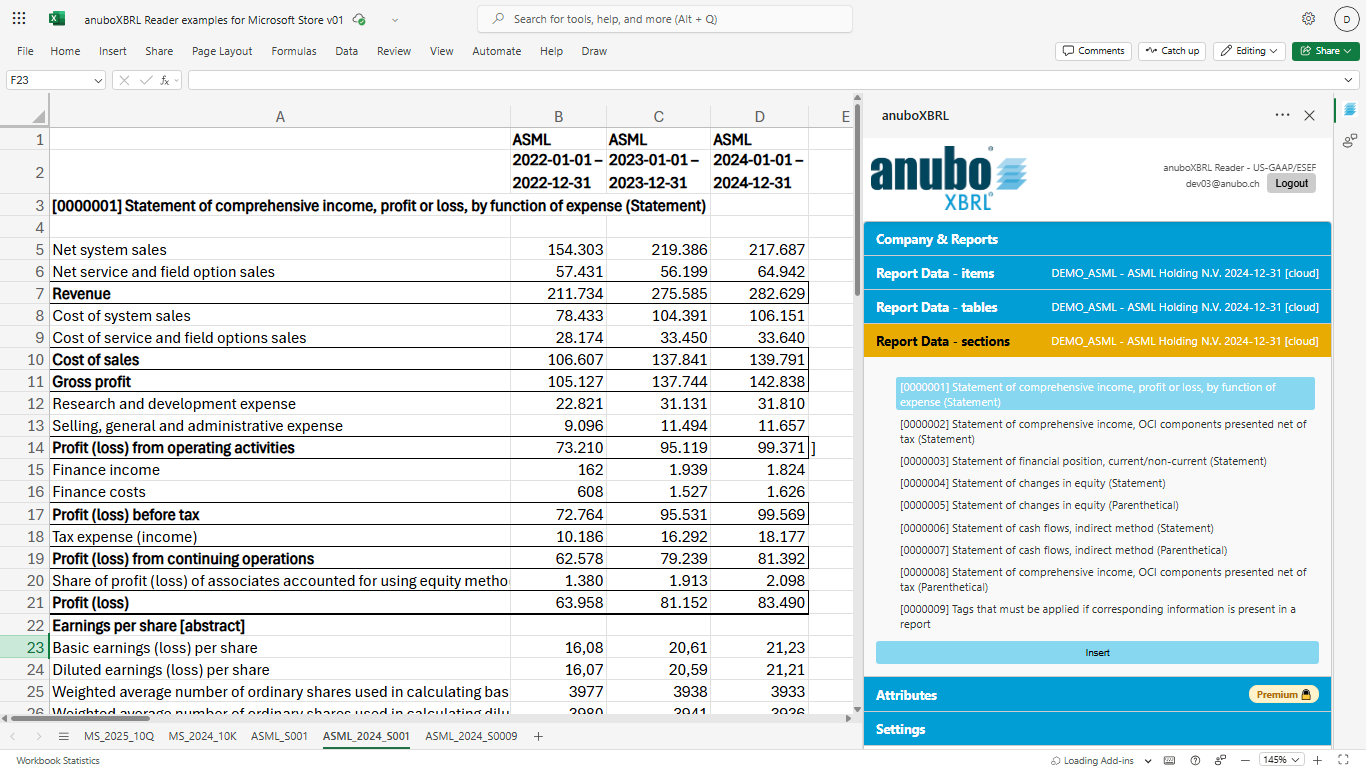
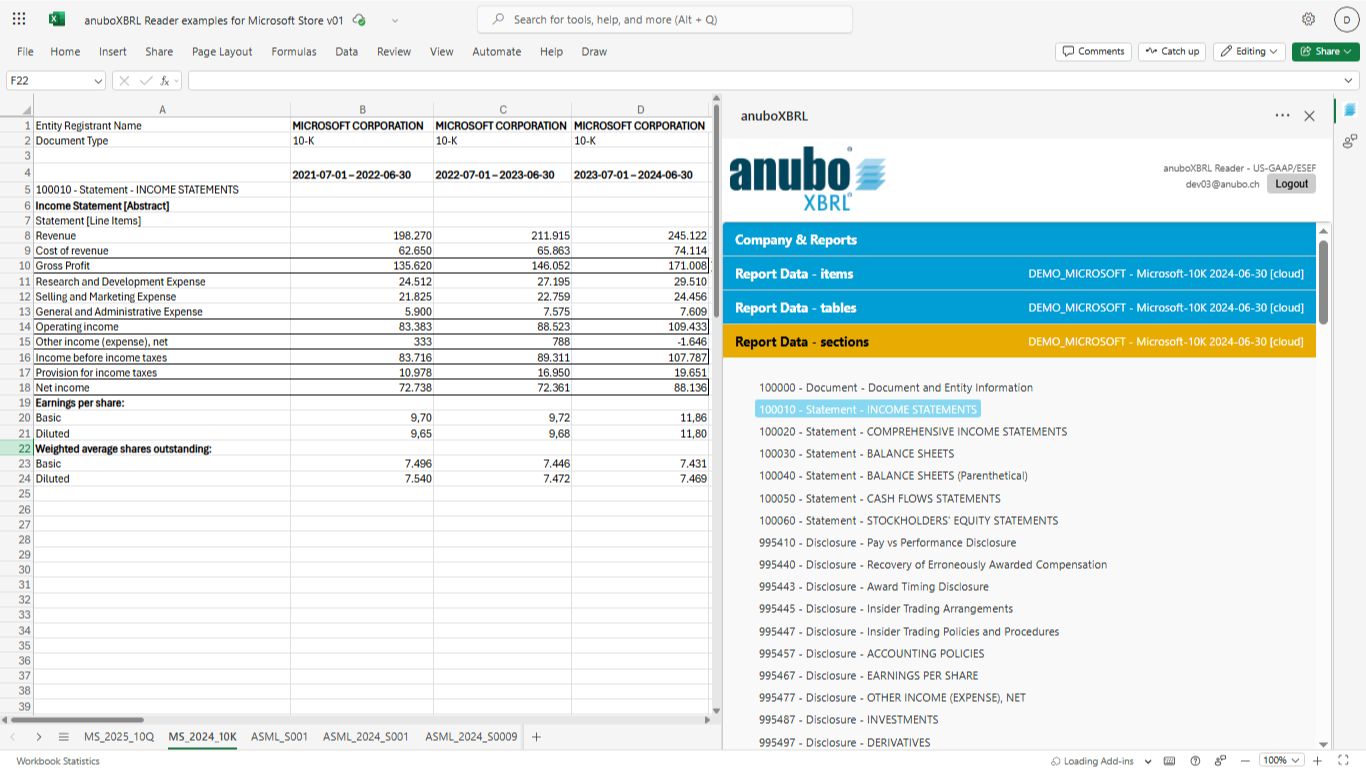
Insert XBRL labels and values from iXBRL/XBRL reports into Excel — fast, reliable, and free. Fully tested with US-GAAP (SEC) and ESEF/IFRS iXBRL reports.- no XBRL expertise required.

  • Easily upload your own XBRL report (ZIP file) for instant processing and analysis.
  • Insert individual items, sections, or full tables into your worksheet.
  • Works with your own iXBRL/XBRL ZIP files.
  • Demo iXBRL/XBRL reports included for instant testing.
  • No configuration required.
How it works

Step 1 – Install the add-in.
Click Get Reader Free on Microsoft Marketplace and follow the installation steps. Alternatively, follow the step-by-step instructions in the User Guide.

Step 2 – Pick a company & report.

Get filings from public sources, for example:

Step 3 – Upload your ZIP and insert data into Excel.

Upload your ZIP (US-GAAP or IFRS/ESEF) or start with the included demo datasets, then insert items, sections, or full tables into your worksheet.

See the Reader in Microsoft Excel

Quickly preview how Reader works inside Excel before installing

Video

Watch a 1-minute walkthrough using real ESEF data.

Who is it for?

Reader is ideal for anyone who occasionally needs to view official iXBRL/XBRL reports in Microsoft Excel and calculate a few KPIs on the fly, such as:

  • Investment and equity research professionals
  • Finance and accounting / FP&A teams
  • Sustainability / ESG analysts working with ESRS data
  • Auditors and consultants

Note: The Reader has been validated for US-GAAP and ESEF/IFRS — for other taxonomies, please verify by uploading the ZIP file

Upgrade path

As your analysis grows beyond “view & copy into Excel,” you can upgrade to anuboXBRL Analyzer for dynamic, semantic-linked models.

  • Recalculate: Switch the company or period—your entire model updates instantly.

  • Scale: Build time series and KPIs.

  • As your usage grows, move to higher usage limits and faster performance.

Requirements & Install

  • Microsoft Excel for Windows (Microsoft 365) – Full functionality
  • Microsoft Excel for Mac (Microsoft 365) – Full functionality
  • Microsoft Excel for the web – Full functionality
  • Microsoft Excel for Windows (Office LTSC 2024 / LTSC 2021) – Full functionality
  • Microsoft Excel for Windows (Office 2019, perpetual) – Supported via Credential Login. Office 2019 update must be up to date.

Registration required (free)

Get it from Microsoft Marketplace

  • Recommended for most users.
  • Installation is managed through your Microsoft 365 account and admin policies.

Sideload (advanced users / testing)

  • For testing in controlled environments or when Microsoft Marketplace is not yet approved by your organization.
  • See the User Guide for Company/Microsoft 365 Administrators instructions.

Fast Track – open Reader directly in your Microsoft Excel

Opens Microsoft Excel 365 for the web with anuboXBRL Reader pre-loaded.*

Opens Microsoft Excel 365 on your desktop and loads anuboXBRL Reader from Marketplace.*

*Works in most Microsoft 365 environments. If your organization restricts add-ins, your Microsoft 365 admin may need to enable anuboXBRL Reader. After anuboXBRL Reader opens, you’ll be asked to complete a short, free registration.

FAQ

No. Reader is designed so you can work with XBRL/iXBRL filings using standard Excel skills. You select reporting concepts, sections, or tables and insert them into your workbook.

The anuboXBRL Reader fully supports iXBRL filings for US-GAAP (SEC) and ESEF/IFRS.
Support for additional iXBRL and classic XBRL taxonomies (reporting frameworks) is technically enabled and many reports may work; however, these have not yet been systematically validated. Results may vary depending on the specific reporting framework.

Our overview page provides links to major public XBRL filing portals worldwide. Portals marked in blue indicate that selected samples have been successfully tested with anuboXBRL. We continue to expand documentation and provide detailed access instructions in our User Guide.

If you are working with filings outside US-GAAP or ESEF, we encourage you to try the free anuboXBRL Reader and share your experience in our community forum. User feedback helps us improve and prioritize future taxonomy support.

Yes. Reader is free to use. A one-time registration is required so we can manage access and provide a private cloud for your XBRL reports.

Key differences include:

  • semantic binding of Excel cells (ANUBO custom functions),
  • personal cloud limits,
  • processing speed,
  • and available attributes (report header).

See full comparison for details.


You can use our
User Guide
and
How-To Videos
for step-by-step instructions.

If you have additional questions or want to share ideas with other users, visit our
Support & Community Forum.

For managing your licenses and personal data, use our
Account Portal.

We look forward to hearing from you via email request@anubo.com. This allows us to better respond to your request. We will reply as soon as possible – usually within the next working day.